
Virtual Production & CG
Explore synchronized digital effects driven by physical actions during controlled production workflows.
Real-Time Physical Event Integration Technology
Connect physical actions with digital environments.
Muzzle Link is a hardware and software integration system under development by Ziegler Studio. It is designed to detect physical firing events from compatible devices and translate them into signals for real-time digital applications.
Developed with Unreal Engine workflows in mind, Muzzle Link explores new possibilities for virtual production, interactive simulation, research, and real-time visual effects.
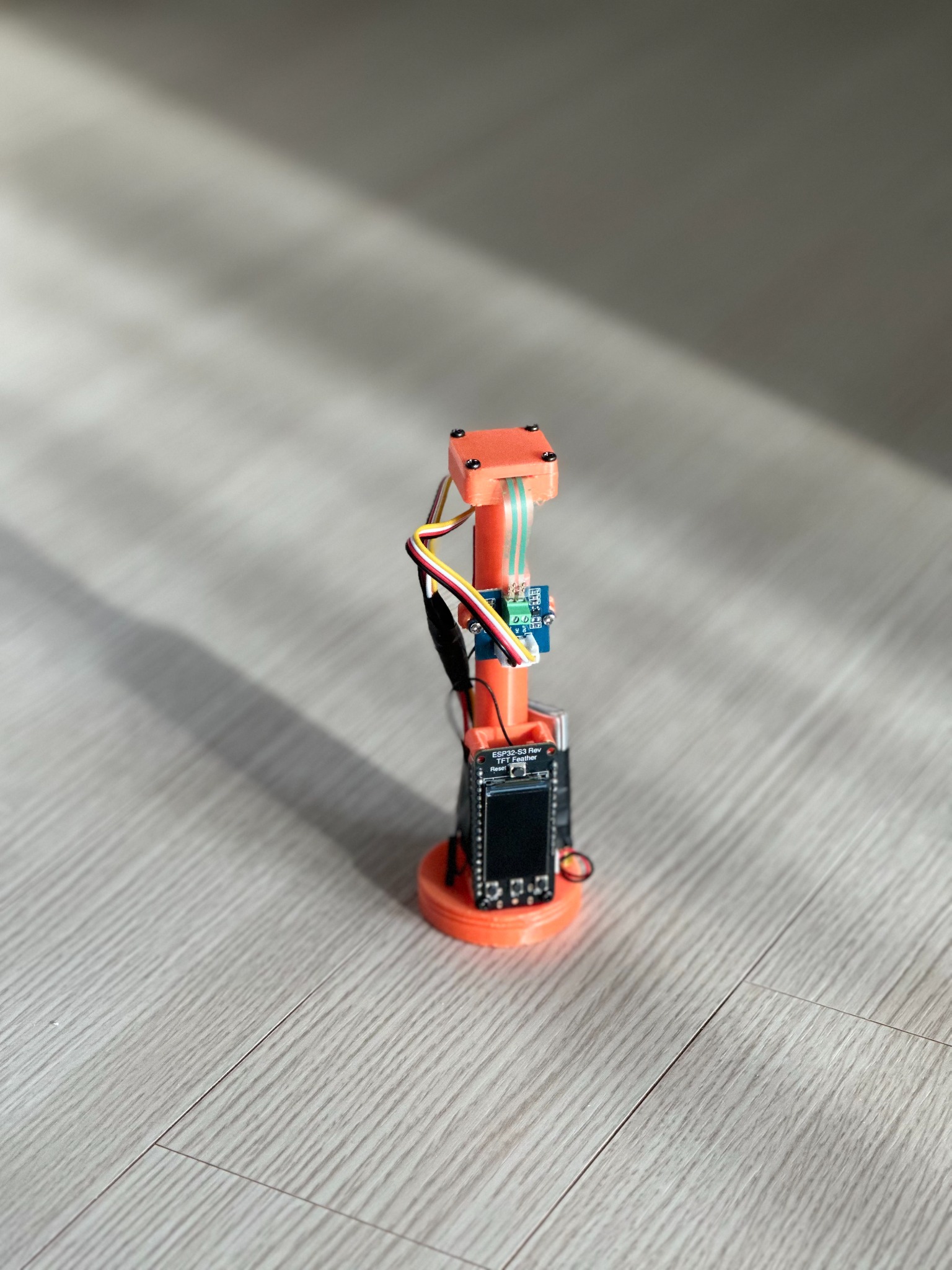
From the physical prototype
to an Unreal Engine workflow.
The video could not be loaded. Open the video file directly ↗
Additional prototype footage
and Unreal Engine Blueprint examples.
Explore the receiver, device snapshot and event graph used in this prototype. Select any screenshot to inspect the original at full resolution.
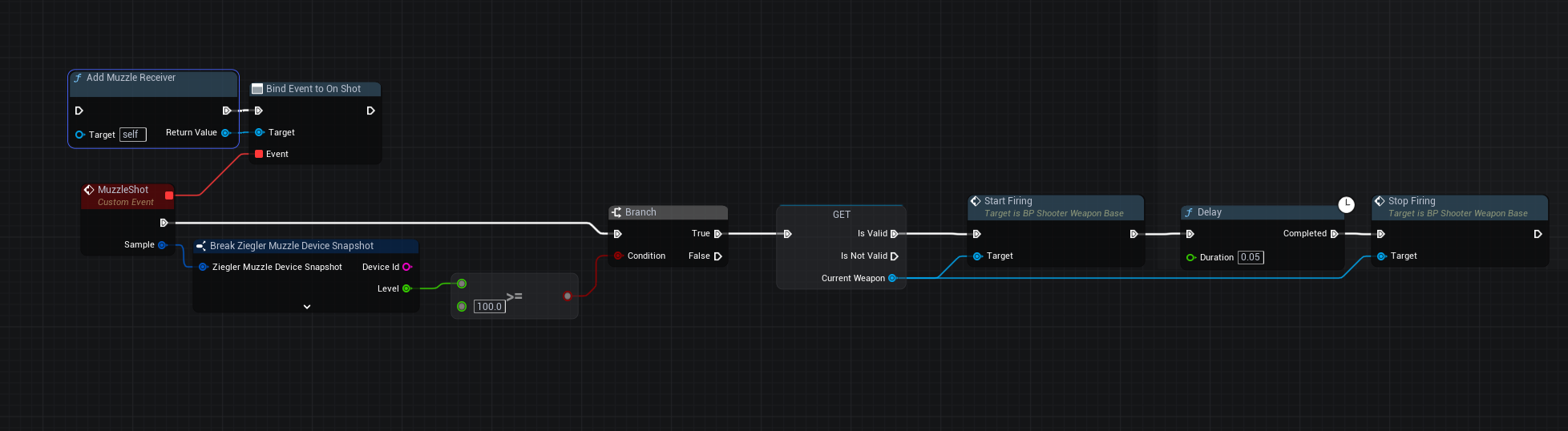
A prototype Blueprint graph connecting the received event to a gameplay response.
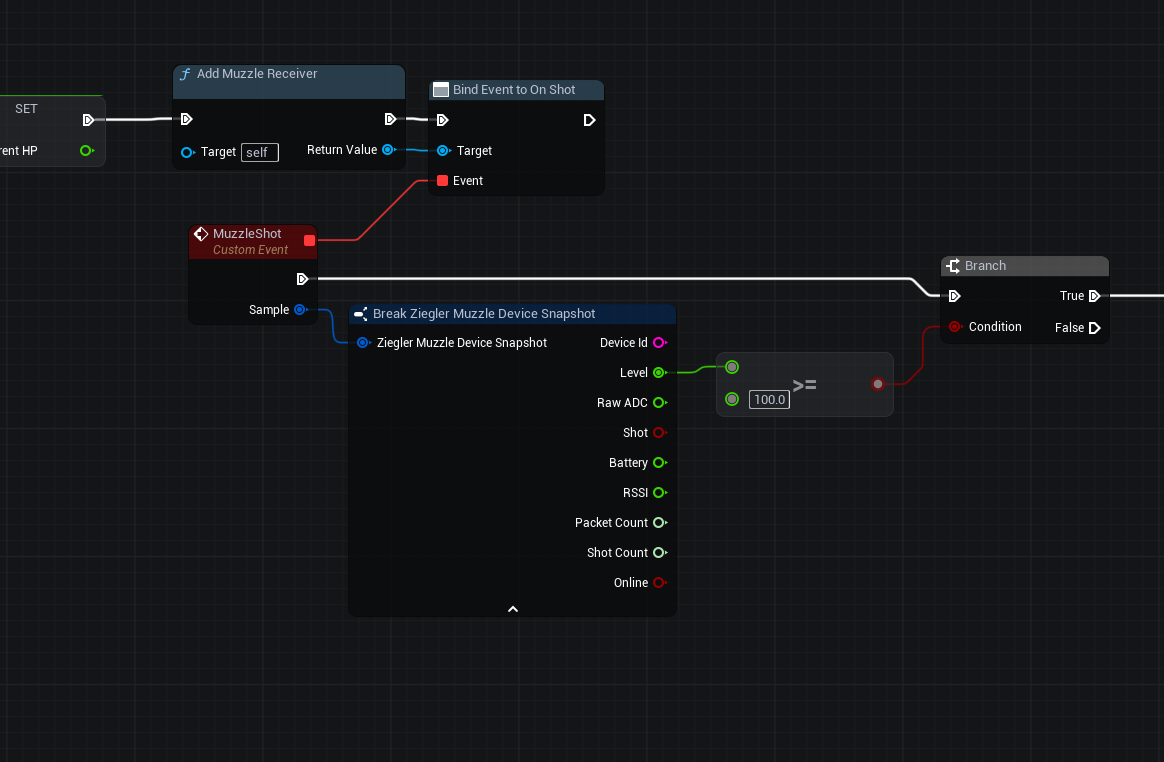
Device snapshot fields and the condition used in this test graph.
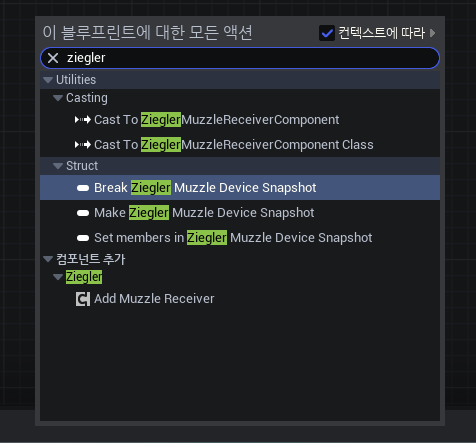
Muzzle Link receiver and device snapshot entries in the Blueprint action menu.
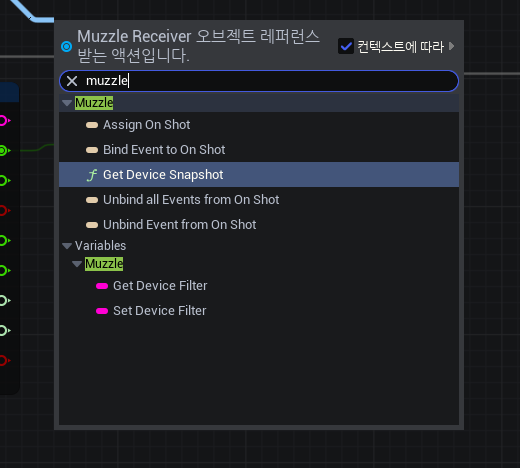
On Shot bindings, device snapshot access and device filter entries.
Prototype examples from the test project. The shown graph and settings are project-specific and do not define universal compatibility or performance.
02 / OVERVIEW
Muzzle Link is designed to reduce the gap between physical events and virtual responses.
By combining sensor-based detection, embedded signal processing, and digital communication, the system enables detected events to be used as inputs in compatible software environments.
Our goal is to provide a flexible foundation for developers, technical artists, and production teams seeking to incorporate physical interactions into their digital workflows.
HOW IT WORKS
A sensor-based module detects relevant physical events from a compatible device.
An embedded controller processes sensor readings to identify detection events.
Processed event information is transmitted to a connected software environment through a communication interface.
Connected applications can use these events to trigger custom behaviors, visual effects, or simulation logic.
03 / APPLICATIONS
Explore new connections between physical interactions and real-time environments.
Explore synchronized digital effects driven by physical actions during controlled production workflows.
Connect compatible physical input devices to custom digital simulation environments.
Prototype new workflows for physical event detection, signal processing, and real-time visualization.
Explore physical-to-digital input systems for experimental experiences and interactive applications.
APPLICATION CONCEPT / VIRTUAL PRODUCTION
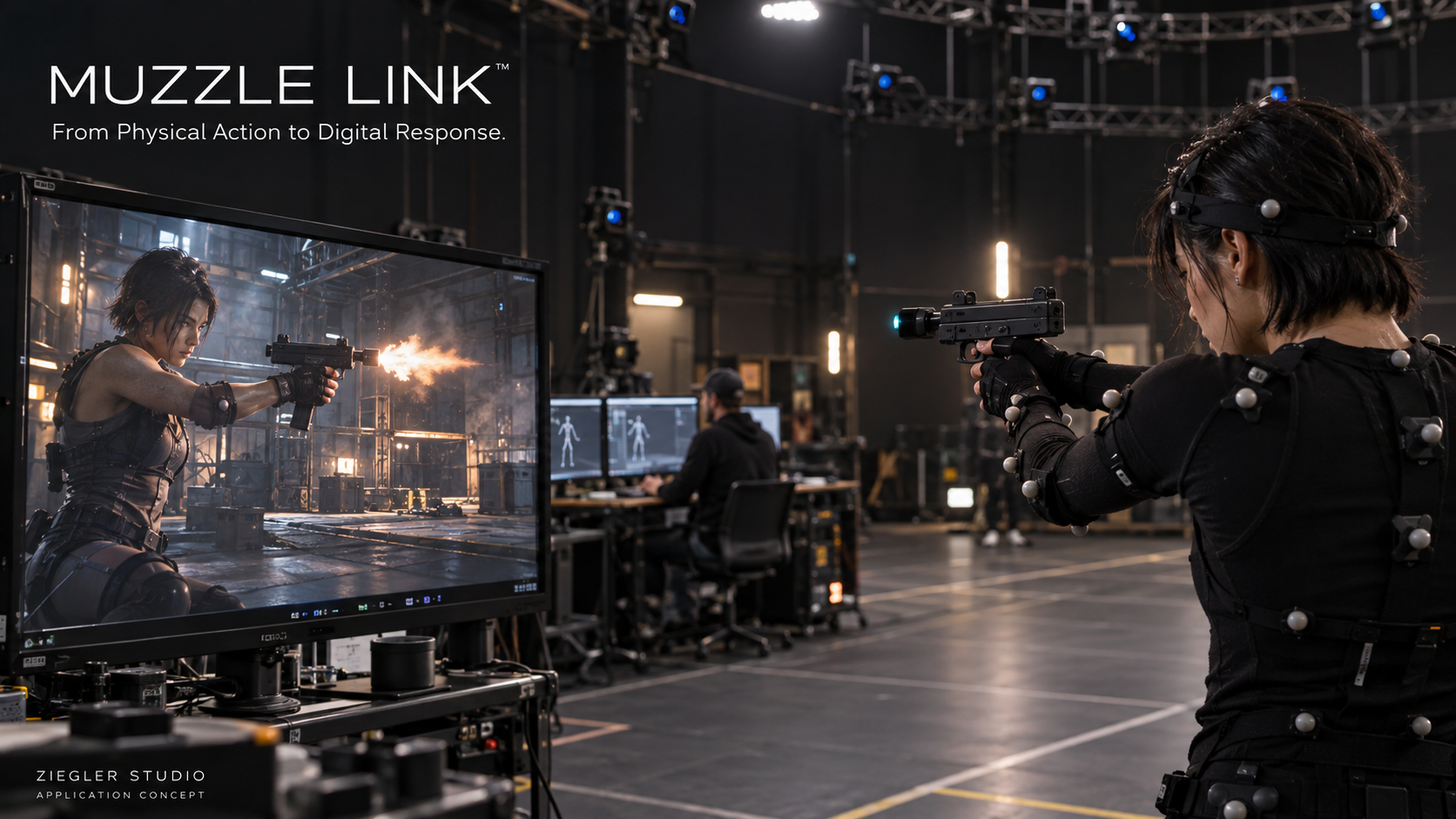
Explore Muzzle Link as an event input alongside motion capture and virtual production workflows. Physical events from compatible props could trigger digital effects, audio cues, or custom Blueprint responses in an Unreal Engine scene.
모션 캡처 스튜디오, 영화·CG 제작 현장, 게임 시네마틱 제작에서도 활용 가능성을 탐색할 수 있어요. 배우의 연기와 함께 발생하는 호환 소품의 물리 이벤트를 디지털 효과·음향·블루프린트 반응에 연결하는 활용 구상이에요.
04 / UNREAL ENGINE INTEGRATION
Muzzle Link is being developed with integration into Unreal Engine-based environments.
Current development includes sensor event processing, UDP-based communication, and an Unreal Engine monitoring and integration workflow.
Planned development areas
Features and compatibility are subject to development, testing, and project requirements.
05 / RENTAL & TECHNICAL SOLUTIONS
Ziegler Studio welcomes inquiries regarding evaluation, equipment rental, technical demonstrations, and project-specific integration.
Equipment configuration, rental availability, technical assistance, and integration requirements are determined individually based on the intended application.
Please contact our team to discuss your project's requirements.
Discuss your intended application and project requirements.
Inquire about a demonstration of the development workflow.
Configuration, duration and availability are discussed individually.
Explore technical assistance and project-specific customization.
06 / PRICING & INQUIRIES
Every production environment has different technical requirements.
Pricing is provided upon request and may vary depending on equipment configuration, rental duration, technical support, and integration scope.
PROJECT-SPECIFIC PRICING — UPON REQUESTTell us about your project, intended application, required equipment, and development environment.
Our team will review your requirements and discuss the available options.